Cosmic Crystal Quest: A Family Space Adventure
Reviews
Cosmic Crystal Quest keeps its scope clear: run, jump, use a blaster, and collect crystals across colorful space sectors. The Jet-Pack and Shoe-Jet add just enough variety to make traversal interesting, and cross-platform support between mobile and PC is a practical touch. The lack of violent content makes it an easy recommendation for parents. The main limitation is that the input does not describe any story, character upgrades, or multiplayer, so the appeal rests almost entirely on platforming skill and level design.
Description
Exploring the Cosmic Sectors
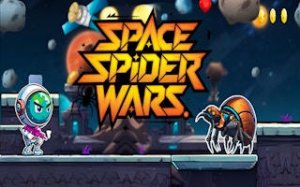
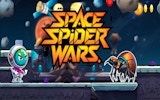
Cosmic Crystal Quest places players in the role of a space explorer patrolling uncharted sectors. Each sector is a self-contained platforming stage filled with floating platforms, hazards, and groups of alien spiders. The explorer's primary task is to gather precious crystals scattered across these areas. Crystals serve as both a collectible and a progression key: accumulating enough unlocks new destinations. The layout of each sector emphasizes vertical movement and precise jumps, so players must read the environment before committing to a route. [IMG_1]
Movement Tools and Combat Options
The explorer carries a special blaster tool to overcome alien spiders, but combat is only one part of the toolkit. A Jet-Pack allows aerial movement, letting players reach high platforms or cross wide gaps that normal jumps cannot cover. A Shoe-Jet provides a burst of ground speed for traversing open stretches quickly. These tools are activated separately, and knowing when to use each one is central to navigating later stages. On mobile, responsive on-screen touch buttons handle movement, jumping, and attacking. On PC, the controls are: A and D to move left and right, W to jump, J for the Jet-Pack, K for the Shoe-Jet, and L to fire the blaster. [IMG_2]
Progression and Difficulty
Difficulty rises as players advance. Early levels introduce basic platforming and a few alien spider types, giving room to practice movement and tool usage. Later sectors combine hazards with tighter timing windows and more varied enemy placement. The game does not rely on violent content; the challenge comes from precision, route planning, and reacting to enemy patterns. Because the same explorer is used throughout, improvement comes from player skill rather than character upgrades. [IMG_3]
Platform Availability and Audience
Cosmic Crystal Quest supports cross-platform play between mobile and PC, so progress and practice can continue across devices. The colorful graphics and non-violent theme make it suitable for kids and families, but the later difficulty spikes mean older players or more experienced platformer fans may find the most satisfying challenge. Parents looking for a wholesome action game with clear goals and simple controls will find that the game delivers a complete, self-contained adventure.
Compatibility
Faq
Is Cosmic Crystal Quest suitable for younger children?
What is the main goal in Cosmic Crystal Quest?
How do the Jet-Pack and Shoe-Jet differ?
Can I play Cosmic Crystal Quest on both mobile and PC?
Does Cosmic Crystal Quest have a multiplayer mode?
What makes the later levels harder?
Games You Might Enjoy
Choco Benno 2: Candy Platformer

Robo-Guard Robot Rescue Arcade

Ocean Cleanup Sorting Puzzle
Bike Coloring Art Game

Cake Maker: Baking Fun Game

Fantasy Creature Designer

Kids Number Puzzle Challenge
Light Path Reflection Puzzle

Pixel Runner: Endless City Quest

Pixel Path Platformer
Cosmic Crystal Quest: A Family Space Adventure

Editorial Notes