Spider Solitaire Classic Card Game
Reviews
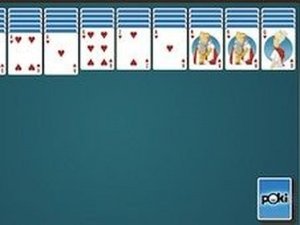
Spider Solitaire Classic Card Game sticks to the traditional rules while offering a clear difficulty scale: one suit for beginners, two for intermediate players, and four for those who want a stricter test. The timer and move counter add a measurable efficiency layer, and the minimal interface keeps attention on card placement. The main limitation is that it does not expand beyond standard Spider Solitaire, so players seeking extra modes or variations will find a deliberately narrow package.
Description
Building King-to-Ace Runs
Spider Solitaire Classic Card Game uses the familiar objective of clearing a standard deck by assembling complete sequences from King down to Ace. Once a sequence is built, it leaves the board. The puzzle continues until every card has been removed or no legal moves remain. Because the deck is fixed, success depends on how well you plan the order of your moves rather than on luck alone.
How Suits Change the Challenge
Difficulty is set by the number of suits in play. Easy mode uses a single suit, so every card can be placed on any card one rank higher. Normal mode introduces two suits, and Hard mode uses all four. In Normal and Hard, cards do not need to match suits to be stacked, but completing a removable sequence requires the correct suit order. That distinction is what makes the higher levels demanding.
Controls and Feedback
Cards are moved by selecting and dragging them on screen. A card can be placed onto another card exactly one rank higher. When no further moves are possible, players draw new rows from the remaining deck. The interface displays both the elapsed time and the number of moves made, giving clear feedback on how efficiently the puzzle is being solved.
Planning Around Hidden Cards
Revealing face-down cards early tends to open more options. Unnecessary moves waste time and can block useful placements later. Regular practice improves pattern recognition, and strategy should shift with the difficulty level because suit-matching rules change between Easy, Normal, and Hard.
Compatibility
Faq
What is the difference between Easy, Normal, and Hard in Spider Solitaire Classic Card Game?
Do suits have to match when stacking cards in Spider Solitaire Classic Card Game?
What happens when no more moves are possible in Spider Solitaire Classic Card Game?
Does Spider Solitaire Classic Card Game track how long a puzzle takes?
Is Spider Solitaire Classic Card Game suitable for beginners?
Can Spider Solitaire Classic Card Game be played on both phones and tablets?
Games You Might Enjoy

Raspberry Fruit Pop Puzzle

Ocean Cleanup Sorting Puzzle

Freddy Sliding Puzzle

Fantasy Creature Designer
Math Puzzle Picture Discovery

Kids Number Puzzle Challenge

Rotating Square: Arcade Puzzle

Spider Solitaire Classic Card Puzzle

Light Path Reflection Puzzle

Ancient Block Puzzle - Arcade

Precision Arcade Slicer

Editorial Notes