Spider Goal Challenge

Reviews
Spider Goal Challenge keeps things simple: aim, tap, and try to beat a spider goalie that gets faster as you progress. The short rounds and browser-based play make it easy to pick up for a few minutes. Its appeal lies in the gradual difficulty increase, which tests patience and timing more than reflexes. Players looking for deep soccer simulation won't find it here, but as a casual arcade distraction, it delivers a focused challenge.
Description
The Penalty Duel
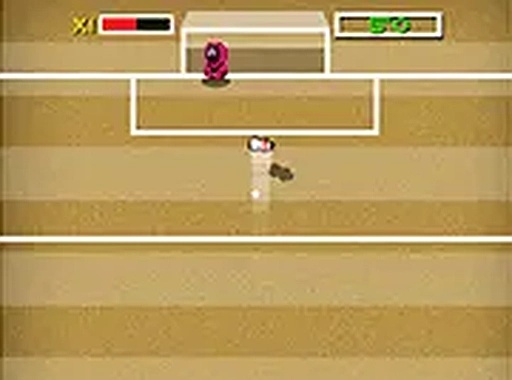
Spider Goal Challenge sets up a simple contest: you kick, the spider blocks. The goalie moves around the goal area, and your job is to pick the moment and direction that gets the ball past it. The spider's speed and movement pattern change as you advance, so early rounds feel forgiving while later ones demand sharper timing. Because each attempt is quick, the game works well for short breaks or repeated tries.
Reading the Spider's Movement
Before each kick, watch how the spider travels across the goal. It doesn't stay still; it shifts left and right, sometimes with a pattern you can anticipate. Aiming is a matter of choosing a target area and tapping to shoot. If you kick while the spider is drifting toward your chosen side, the block becomes more likely. Patience matters more than speed—rushing a shot usually gives the spider an easy save.
Progression and Rising Difficulty
As you score and move through rounds, the spider becomes faster or more erratic. The game doesn't announce new mechanics; instead, the same core loop tightens. You'll need to adjust your aim and release timing to match the goalie's pace. This steady ramp keeps the experience from feeling static, though the fundamental challenge stays the same: outguess a moving blocker.
Who It's For
Anyone who enjoys quick penalty-kick challenges or light action games will find something here. The controls are minimal—aim and tap—so there's no complex setup. Soccer fans may appreciate the familiar scoring objective, while casual players can jump in without learning a control scheme. It runs in a browser, so no download is needed.
Compatibility
Faq
How do I control my shot in Spider Goal Challenge?
Does the spider goalie behave differently in later levels?
Is there a way to practice before playing for score?
Can I play Spider Goal Challenge on a mobile device?
What is the main goal in Spider Goal Challenge?
Are there different stadiums or ball types?
Games You Might Enjoy

Robo-Guard Robot Rescue Arcade

Uncle Tap: Dummy Knockdown Arcade

Dino Runner Arcade Game

Snake Arena Arcade Game

Precision Arcade Slicer

Cosmic Crystal Quest: A Family Space Adventure

Neon Stickman Defenders: Cyber Challenge

Larry World Classic Platformer

Underground Survival Strategy
Soccer Catch Reflex Game

Retro Basketball Arcade Shooter

Editorial Notes