Design Your Own Joystick Studio
Reviews
Design Your Own Joystick Studio delivers exactly what its name promises: a straightforward way to customize a joystick with colors, shapes, and stickers. Its strength lies in removing all pressure—no timers, scores, or unlocks—so players can focus on artistic play. The two base models and simple drag-and-drop controls suit young children and beginners. However, the lack of built-in saving or sharing limits its long-term appeal for older users. Best for a quick, relaxing creative session on any device.
Description
What You Actually Do
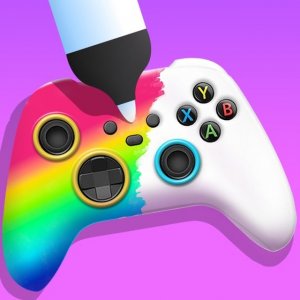
Design Your Own Joystick Studio gives you a blank canvas shaped like a joystick. You start by picking one of two base models, then paint different parts using a full color palette on the right side of the screen. After coloring, you can add geometric shapes such as stars, circles, and rectangles. Each shape can be resized and recolored before you place it. A sticker panel at the bottom offers decorative icons that you drag onto your design and position freely. Every action uses simple clicks or taps, and there are no menus to learn.
How Customization Feels
The tools are deliberately limited to keep the focus on creativity rather than complexity. With only two starting models, you won't spend time browsing dozens of options. The color palette covers the full spectrum, so you can match any theme you imagine. Shapes and stickers layer over each other, letting you build patterns or highlight specific areas. Because there is no scoring or timer, you can undo changes or start over as many times as you like. This design removes performance pressure and encourages experimentation.
Who It's For and How It Runs
This game targets young children and anyone who enjoys casual digital art. The interface uses large buttons and drag-and-drop controls that work with a mouse on computers or touch input on tablets and phones. Full-screen mode helps you see details clearly. The HTML5 application runs in modern browsers and does not require an internet connection after loading. There are no ads, in-app purchases, or unlockable content. The game is rated for ages 3 and up. Since it lacks built-in saving or sharing, you can take a screenshot to keep your finished joystick design.
Compatibility
Faq
Can I save my joystick design in Design Your Own Joystick Studio?
Is Design Your Own Joystick Studio free to play?
What devices can I use to play Design Your Own Joystick Studio?
Does Design Your Own Joystick Studio have a time limit or score?
Is Design Your Own Joystick Studio suitable for young children?
Can I play Design Your Own Joystick Studio offline?
Games You Might Enjoy

Spatial Painting Workshop

Buddy's Happy Pet Sanctuary

Sky Drift Runner

Calm Color Art Studio

Little Painters Color Workshop

Caterpillar Fruit Collection Challenge

Holiday Ornament Color Sort

Mind Trail Puzzle Adventure

Vintage Auto Coloring Studio

Kingdom Shield: Tactical Defense Quest

Gum Guardian: Classic Jump & Cling
Editorial Notes