Custom Phone Case Design Studio
Reviews
Custom Phone Case Design Studio targets players who enjoy hands-on creative tasks without pressure. Its strength lies in the clear, sequential crafting loop: apply a base, spray a color, dry, and submit. The lack of time limits and simple controls make it accessible to younger players and simulation newcomers. The main limitation is that the input describes a narrow scope—case design only—so players seeking varied mechanics may find it repetitive over time.
Description
Order-Driven Crafting
Each session begins when you accept a request from a virtual customer. The screen shows a phone model that needs a case, and the customer's stated preferences guide your material and color choices. Meeting those preferences is the core objective, so reading the order carefully matters more than rushing through steps.
Applying Layers and Color
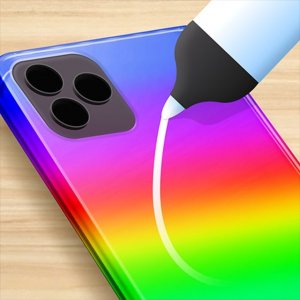
The crafting sequence follows a fixed order. You first coat the back panel with a base layer, covering the surface until an on-screen progress indicator confirms full coverage. Next, you select a color—options include shades such as gold or pink—and spray it onto the case. After the color is set, you dry the case to finish the design. Each action uses simple clicks or taps, and no step can be skipped.
Rewards and Progression
Submitting a completed case to the customer earns in-game currency or points. New orders then become available, letting you continue with different style requests. Because there are no time limits, you can experiment with color combinations and work at whatever pace suits you. The loop stays consistent: read the order, build the case, submit, and collect the reward.
Access and Audience
The game runs on computers, tablets, and mobile phones, and full-screen mode provides a focused workspace on larger displays. Its simple controls and absence of time pressure make it approachable for younger players and anyone new to simulation games. The content is designed to be family-friendly, with no complex mechanics or stressful deadlines.
Compatibility
Faq
Can I skip the drying step in Custom Phone Case Design Studio?
What happens if my finished case does not match the customer's preferences?
Does Custom Phone Case Design Studio have a time limit on orders?
Can I play Custom Phone Case Design Studio on a phone or tablet?
Is Custom Phone Case Design Studio suitable for young children?
How do I unlock new orders in Custom Phone Case Design Studio?
Games You Might Enjoy

Cooking Live Travel Food Adventure

Dragon Merge Strategy

Kitty Color Quest: Cat Care & Mixing

Fairy Tale Princess Fashion Studio

Ocean Growth Arcade Game

Pizza Grab Arcade Game

November Rain Match 3 Puzzle

Pirate Theme Mahjong Puzzle

Pixel Runner: Endless City Quest

Christmas Chicken Click Arcade

Bubble Shooter Arcade Pool Edition

Editorial Notes