Tap Bounce Track
Reviews
Tap Bounce Track strips its controls down to a single tap, then builds course variety around rotating platforms, gaps, moving walls, and shifting paths. The absence of timers or scores keeps attention on pattern mastery rather than competition. Its browser-based HTML5 design means it runs on most devices without installation. The main limitation is that progress depends entirely on timing skill, which may frustrate players who prefer gradual difficulty adjustments or persistent rewards.
Description
One-Tap Control, Precise Timing
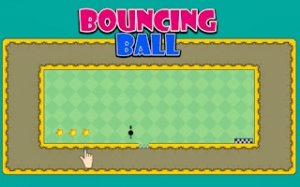
Tap Bounce Track reduces its control scheme to a single action: tap the screen or click the mouse to make the ball jump. That simplicity is the point. Each tap lifts the ball over hurdles, onto narrow ledges, or through moving barriers, and the only variable you manage is when to tap. Reading the course layout and matching your input to the obstacle's rhythm matters more than speed. A single mistake sends the ball back to the start, which keeps failure cheap and retries immediate.
How Courses Change as You Advance
Every course presents a distinct arrangement of obstacles rather than a recolored version of the last one. Rotating platforms require you to wait for the right moment before passing. Gaps demand a jump timed to land safely on the other side. New elements appear gradually, including moving walls and shifting paths, so you learn to anticipate changes instead of memorizing a fixed sequence. The difficulty curve stays steady because each new mechanic builds on the timing skills the previous course required.
Clean Visuals That Support Timing
The visual style is clean and colorful, which makes obstacles and safe paths easy to distinguish at a glance. The ball leaves a subtle trail, helping you track its movement and judge where it will land. Hitting an obstacle produces clear feedback without cluttering the screen. A brightly colored finish flag marks the goal, giving each attempt a visible endpoint. None of this is decorative; the presentation exists to keep your attention on pattern recognition and tap timing.
Play Anywhere, Improve at Your Own Pace
Built with HTML5, Tap Bounce Track runs in any modern web browser on computers, tablets, or phones. There is no app store download or installation, and the controls adapt to touch screens and mouse input equally well. Completing a course unlocks the next one, providing clear advancement. Because the game includes no timers or scores, the focus stays on personal improvement and mastering each course's pattern. Players who finish all courses can replay earlier levels to tighten their timing and achieve cleaner runs.
Compatibility
Faq
What happens when the ball hits an obstacle in Tap Bounce Track?
Does Tap Bounce Track work on phones and tablets?
Is there a score or timer in Tap Bounce Track?
Can I replay courses I have already finished?
What kinds of obstacles appear in Tap Bounce Track?
Do I need to install anything to play Tap Bounce Track?
Games You Might Enjoy

Snake Soccer: Funny Animal Sports Game

Soccer Pong Arcade

Raspberry Fruit Pop Puzzle

Cat Town Builder Idle

Robo-Guard Robot Rescue Arcade

Arcade Tennis Rally Challenge

Sprunki Tennis Arcade Rally

Light Path Reflection Puzzle

Ancient Block Puzzle - Arcade

Pixel Runner: Endless City Quest

Pixel Path Platformer

Editorial Notes