Mobile Run 3D Arcade Runner
Reviews
Mobile Run 3D Arcade Runner sticks to the endless runner formula but gives it a small twist: the items you grab are apps, and each one grants a temporary power like a speed boost or a shield. That means every run involves a trade-off between playing safe and steering toward a useful pickup. The controls are simple enough for casual players, and the rising difficulty gives veterans something to chase. The main limitation is that the core loop is familiar; whether it holds your attention depends on how much you enjoy timing-based dodging and incremental distance goals.
Description
Steering a Phone Through a 3D World
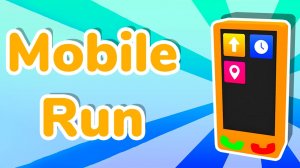
In Mobile Run 3D Arcade Runner, the character is a smartphone sprinting down a vibrant three-dimensional track. Your only job is to keep it alive by moving left or right. On desktop, the A and D keys or the arrow keys handle lateral movement; on a phone or tablet, tapping the left or right half of the screen steers. The path scrolls forward automatically, so every decision is about positioning, not acceleration.
Apps as Power-Ups
Scattered along the route are app icons. Running into one activates its ability immediately or stores it for later use, depending on the app. Two examples named in the game's description are a speed boost and a protective shield. The speed boost helps clear gaps or outrun a closing threat; the shield lets you survive a collision that would otherwise end the run. Because apps appear alongside obstacles, collecting them often means choosing a riskier line.
Obstacles and Rising Difficulty
Barriers, gaps, and other hazards fill the track, and their frequency and complexity increase the farther you go. Early sections give you room to grab apps and learn the rhythm. Later sections demand precise timing: activating a shield a moment too early wastes it, while a speed boost triggered at the wrong instant can send you into a wall. The endless format means there is no final level—only the distance you manage before a mistake.
Playing Across Devices
The same run is available in a web browser, on Android, and on iOS. Controls adapt to the device: keyboard on desktop, touch on mobile. The 3D graphics stay consistent, and the simple two-direction input keeps the game approachable for younger players or anyone new to runner games, while the escalating obstacle patterns give experienced players a reason to keep refining their timing.
Compatibility
Faq
What is the main goal in Mobile Run 3D Arcade Runner?
How do I activate the powers I collect from apps?
Is Mobile Run 3D Arcade Runner available on phones and computers?
Does the difficulty increase as I run farther?
What kind of apps can I collect during a run?
Is this game suitable for children or casual players?
Games You Might Enjoy

Snake Soccer: Funny Animal Sports Game

Soccer Pong Arcade

Raspberry Fruit Pop Puzzle

Cat Town Builder Idle

Robo-Guard Robot Rescue Arcade

Shortcut Run Racing Arcade

Arcade Tennis Rally Challenge

Sprunki Tennis Arcade Rally

Light Path Reflection Puzzle

Ancient Block Puzzle - Arcade

Pixel Runner: Endless City Quest

Editorial Notes